
Install EMIL for Android
Before You Begin
-
Keep these instructions open on your computer.
-
On the Android device you will use for training, open your training email.
-
Your training email contains the Google account and password assigned to you.
Open the EMIL Installation Link
-
On your Android device, open the Android installation link in your training email.
-
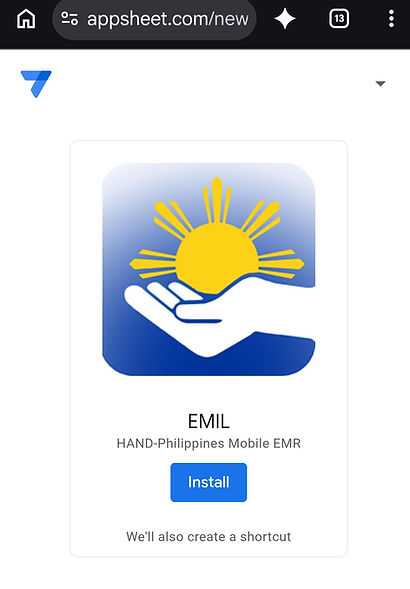
On the first EMIL screen, tap Install.
-
A second EMIL screen will open automatically, explaining that AppSheet must be installed first. Tap Install again to open Google Play.
Note: EMIL is hosted within AppSheet and cannot be downloaded directly from Google Play. You must first install AppSheet from the App Store and then sign in to access EMIL.
Click on images below to enlarge them.

Install and Open AppSheet
-
In Google Play, tap Install for AppSheet.
-
Wait for installation to finish.
-
When the Open button becomes available, tap it.


Sign In to EMIL
-
When prompted to add to Home Screen, tap Add.
-
On the EMIL sign-in screen, tap Google.
-
Sign in using the training email account and password provided in your training email. It will look like "trainreg1@hand-philippines.org"
-
If your personal Google account appears, choose the option to use another account and enter your assigned training account.
Do not use your personal Google account to sign in to EMIL (it will not work).


Open EMIL and Check the Shortcut
-
When the EMIL welcome screen appears, tap OK.
-
Return to your Android Home Screen and look for the EMIL icon, showing the HAND-Philippines logo.
-
Tap the EMIL icon to confirm that the app opens.
You may see both an AppSheet icon and an EMIL icon. Use the EMIL icon to open EMIL directly. Do not delete AppSheet as it is necessary for EMIL to work.
Once EMIL opens successfully, return to the Volunteer Training page to continue.

